

The 2026 Strategic Builder’s Guide: Power Gaming on a Budget
Table of Contents
1. Navigating the RAMageddon: The New Price Reality
2. Platform Longevity: Why AM5 is the Only Logical Choice
3. The GPU Value Warfare: Balancing VRAM and Price
4. Storage Efficiency: Gen4 Speed vs. Capacity
5. Cooling and Aesthetics: Cutting the Fluff
6. Power Supply: The One Component You Never Cheap Out On
7. Software Optimization: Unlocking Hidden Performance
8. Future-Proof Maintenance and Upgradability
9. Conclusion
As we move through January 2026, the primary obstacle for any PC builder is the unprecedented cost of memory. The “RAMageddon” has turned what used to be a $50 component into a major budget consideration. For a “power” build, 32GB of DDR5 has become the gold standard, but with current prices, many budget-conscious builders are being forced to reconsider. Using ai tools changing modern workflows for price tracking is no longer optional; it is a necessity to catch brief windows of “MSRP” pricing. In this environment, the strategic choice is often to start with 16GB of high-speed memory (6000MT/s) and ensure your motherboard has two empty slots for a future upgrade once the market stabilizes. This allows you to allocate more funds toward the GPU, which has a much more direct impact on your immediate gaming experience.
Platform Longevity: Why AM5 is the Only Logical Choice
In 2026, building on a “dead” platform like Intel’s LGA 1700 is a mistake for anyone looking for long-term value. While the Core i5-13400F is still a capable budget chip, it offers zero room for growth. The AMD AM5 platform, specifically the Ryzen 5 7600 or the newer 9600X, is the superior choice for a budget power build. AMD has committed to supporting this socket through at least 2027, meaning a motherboard purchased today can host a significantly faster CPU three years from now. As technology shaping human evolution drives games to utilize more complex AI and physics, having a clear CPU upgrade path is the best way to protect your investment. A solid B650 or B850 motherboard provides the necessary PCIe Gen 5 support for future graphics cards without the “premium tax” of high-end X-series boards.
The GPU Value Warfare: Balancing VRAM and Price
The graphics card remains the most critical and expensive part of the build. In 2026, 8GB of VRAM is no longer sufficient for “power” gaming at 1440p; 12GB is the baseline, and 16GB is the sweet spot. The Radeon RX 9060 XT 16GB has emerged as the value king, often outperforming similarly priced NVIDIA cards in raw rasterization. However, if you rely on heavy ray tracing or professional creative suites, the NVIDIA RTX 5060 Ti remains the go-to choice due to its superior DLSS 4.0 upscaling. Using ai agents explained functions types to run automated benchmarks helps builders decide between these two titans. The key is to ignore the marketing hype and look at frame-per-dollar metrics in the specific games you plan to play, such as the hardware-heavy titles released in early 2026.
[Image Placeholder: A comparison chart of 2026 mid-range GPUs showing FPS vs. Price in 1440p gaming]Storage Efficiency: Gen4 Speed vs. Capacity
Storage technology has plateaued in terms of gaming utility. While Gen5 NVMe drives are available, they are expensive and run incredibly hot, requiring massive heatsinks that don’t fit well in budget cases. For a power build, a high-quality Gen4 drive like the WD Black SN770 or the Samsung 980 Pro is more than enough. These drives offer the 5,000+ MB/s speeds required for Windows 11 DirectStorage, which virtually eliminates loading screens in modern titles. As smart devices learning from you and your storage patterns, the system can intelligently manage cache to keep your most-played games running at peak performance. Starting with a 1TB drive is the most efficient way to keep the initial build cost down, as adding a second 2TB drive later is one of the easiest “plug-and-play” upgrades you can perform.
Cooling and Aesthetics: Cutting the Fluff
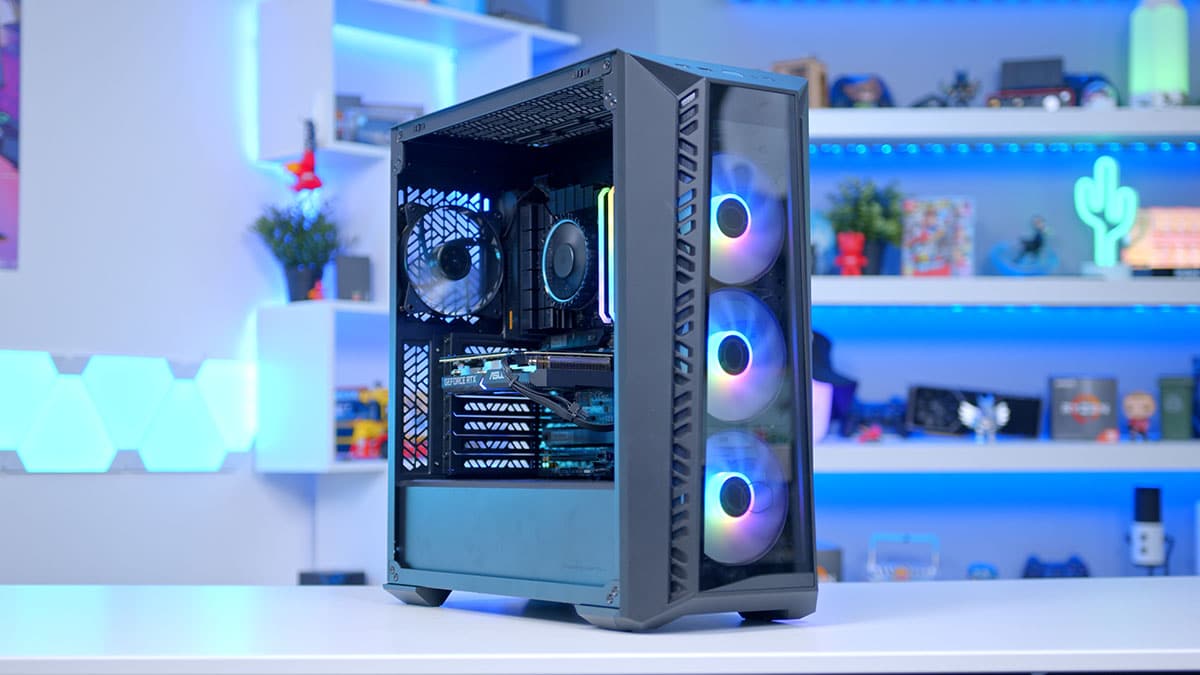
One of the biggest traps for new builders is “Aesthetic Overspend.” Spending $150 on an All-In-One (AIO) liquid cooler and $100 on RGB fans provides zero extra frames per second. In 2026, high-performance air coolers like the Thermalright Phantom Spirit 120 SE can handle even a Ryzen 7 or Core i7 for under $40. Similarly, a “High Airflow” case with a mesh front panel, such as the Montech Air 903, often comes with three or four pre-installed fans, saving you the cost of buying a separate cooling kit. Using ai assistants making life easier for component compatibility checks, you can find cases that provide excellent thermal performance without the “gamer tax” associated with more famous brands. Redirecting that saved $150 into a better GPU or more RAM is what separates a “budget build” from a “power build.”
Power Supply: The One Component You Never Cheap Out On
The Power Supply Unit (PSU) is the heart of your system, and a failure here can destroy every other component. In 2026, with GPUs drawing more transient power than ever, a “Tier A” 80+ Gold certified PSU is mandatory. A 750W unit from a reputable brand like Corsair or Seasonic ensures you have enough headroom for future upgrades. As cybersecurity getting much stronger at the hardware firmware level, modern PSUs also feature better protection circuits against surges and brownouts. Spending an extra $30 for a fully modular PSU is a “quality of life” upgrade that makes cable management significantly easier, which in turn improves airflow and reduces dust buildup—two silent killers of PC performance over time.
Once the hardware is assembled, the “power” in your budget build comes from optimization. In 2026, the difference between “Stock” and “Optimized” can be as high as 20% in frame rates. This involves enabling Resizable BAR in the BIOS, setting your RAM to its EXPO or XMP profile, and using AI-driven tools to undervolt your CPU for better thermals. Using ai tools to study faster the specific BIOS settings for your motherboard can save you hours of trial and error. Furthermore, utilizing technologies like AMD’s FSR 4 or NVIDIA’s DLSS 4 is essential for 1440p gaming on budget hardware. These tools render the game at a lower resolution and use AI to upscale the image, giving you high-end performance on mid-range silicon.
Future-Proof Maintenance and Upgradability
A power gaming PC is an investment that should last at least five years. To ensure this, your maintenance routine must be as modern as your hardware. This includes a semi-annual physical cleaning to prevent thermal throttling and a monthly check for driver updates. As wearables tracking smart activities and your PC usage, you can set up alerts to remind you when your system temperatures are creeping up or when your SSD health is declining. Because you chose a platform like AM5, your future “mid-life” upgrade in 2028 will be a simple CPU swap, which will effectively reset the clock on your system’s relevance for another three years. This “Buy Once, Upgrade Often” philosophy is the cornerstone of successful budget PC building.
Conclusion
Building a power gaming PC on a budget in 2026 requires a shift in mindset from “spending more” to “spending smarter.” By navigating the difficulties of the RAM market, committing to an upgradeable platform like AM5, and ignoring the siren call of expensive aesthetics, you can build a machine that delivers a premium 1440p gaming experience for under $1,000. The tools available today, from AI-driven price trackers to automated performance tuners, have made it easier than ever to squeeze every drop of value out of your components. As technology shaping human evolution continues to push the boundaries of digital worlds, having a custom-built rig remains the most powerful way to participate in that future. The components are out there; the strategy is now in your hands.
References and Further Reading:
GamersNexus: $668 Cheap Bastard’s Build Guide – January 2026 |
Tom’s Hardware: Best PC Builds for Gaming 2026 |
The Tech Buyer’s Guru: Best High-End Gaming PC Build 2026