
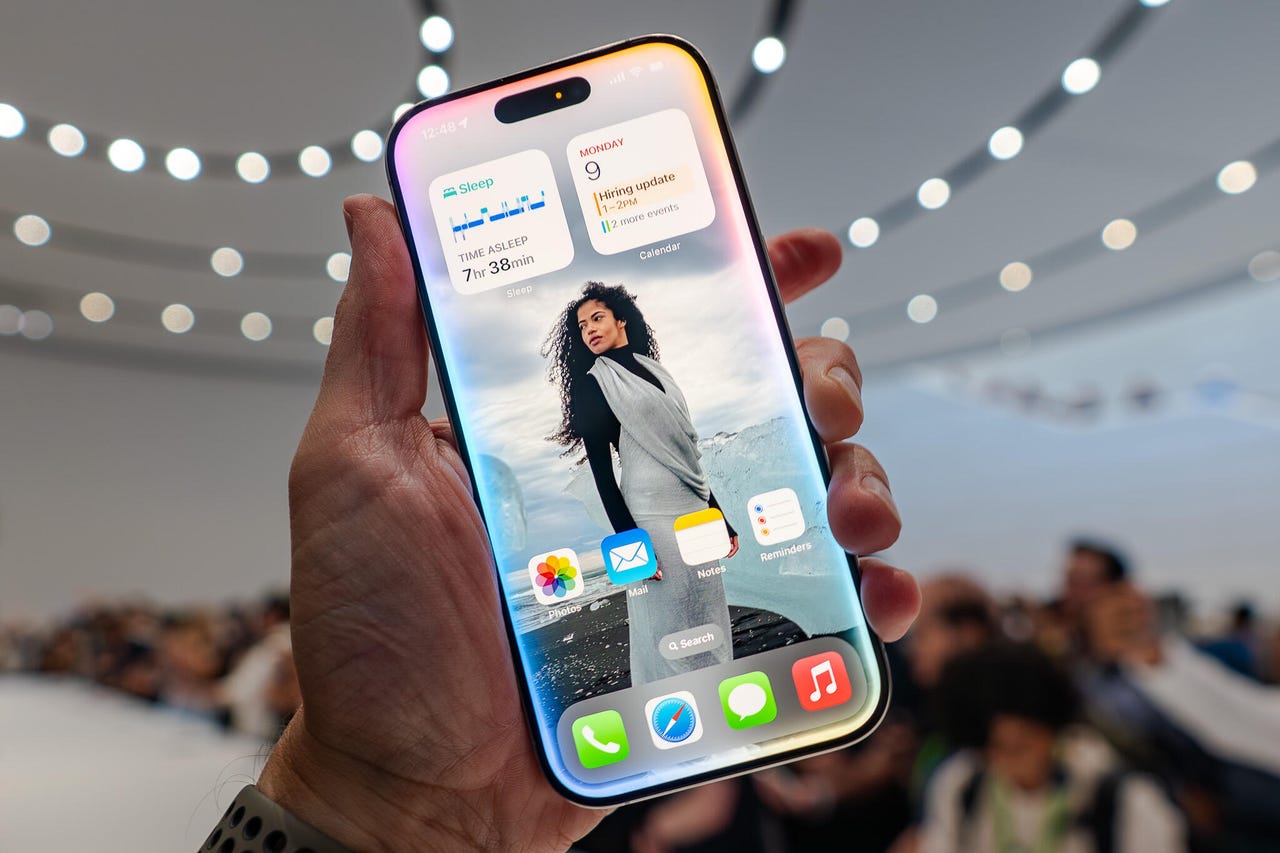

The Evolution of Apple Intelligence: Key Features Shaping 2026
Table of Contents
- Introduction
- System-Wide Writing Tools: Refinement and Summary
- Visual Intelligence: Camera and Screen Interaction
- Image Playground and Genmoji: AI-Driven Creativity
- The New Siri: Personal Context and Natural Interaction
- Live Translation: Breaking Communication Barriers
- Focus and Priority: Smart Notification Management
- Privacy and Security: Private Cloud Compute
- Conclusion
Introduction
As we close out 2025, Apple Intelligence has transformed from a promising set of announcements into a fundamental part of the Apple user experience. It represents a paradigm shift in how we interact with our personal devices, moving away from manual input toward an intuitive, context-aware digital partner. By leveraging on-device processing and the highly secure Private Cloud Compute, Apple has integrated advanced generative AI while maintaining its core commitment to user privacy. In 2026, the features of Apple Intelligence are no longer just “add-ons” but essential tools that help users write better, communicate across languages, and manage their increasingly complex digital lives. This guide delves into the most impactful features that define Apple’s AI strategy today, highlighting how they empower users across the iPhone, iPad, and Mac ecosystems.
System-Wide Writing Tools: Refinement and Summary
One of the most frequently used features of Apple Intelligence is the suite of Writing Tools available across virtually every app where text is entered. Whether you are drafting an email in Mail, taking notes in Pages, or chatting in a third-party app, these tools allow you to rewrite, proofread, and summarize your content with a single tap. The “Rewrite” function can adjust the tone of your message—making it more professional, friendly, or concise—while the proofreading feature goes beyond simple spell-check to ensure grammatical accuracy and clarity. Additionally, for long documents or threads, the “Summarize” feature can distill information into key points, tables, or a short paragraph. For users of ai tools to study faster, this ability to quickly digest and refine information is a major productivity booster, ensuring that communication is always polished and effective.
Visual Intelligence: Camera and Screen Interaction
In late 2025, Visual Intelligence has expanded significantly, allowing the iPhone to “understand” what the user sees through both the camera and the on-screen content. By using the dedicated camera control or a simple gesture, users can identify objects, plants, and landmarks in real-time. This extends to “On-Screen Awareness,” where Siri can understand the context of what you are looking at—for example, automatically adding a date from a poster in a photo to your Calendar. This seamless integration of smart devices learning from you and your environment allows for a frictionless experience where the device acts as an intelligent layer over the physical world. It can even search for products seen in a photo or find additional information about a business simply by pointing the camera at its storefront.
Image Playground and Genmoji: AI-Driven Creativity
Apple has brought generative AI to the creative space through Image Playground and Genmoji. Image Playground allows users to create fun, original images in styles like Animation, Illustration, or Sketch, directly within apps like Messages and Freeform. This feature is designed to be accessible, using text descriptions and themes to generate visuals without requiring complex prompts. Genmoji takes this a step further by allowing users to create entirely new emojis based on a text description or even the likeness of a friend or family member from their Photos library. This level of personalization is a cornerstone of technology shaping human evolution, where our digital expression becomes as unique as our physical identity. These creative tools are powered by on-device models, ensuring that your imaginative experiments remain private and secure.
The New Siri: Personal Context and Natural Interaction
Siri has undergone its most radical transformation yet, becoming a more natural and contextually aware assistant. In 2026, Siri can handle complex requests that involve personal context, such as “Play that podcast my sister sent me last week.” It understands the content across your apps, meaning it can find information in your emails, messages, and notes to provide specific answers. The interface has also been redesigned with a glowing light that wraps around the edge of the screen, and users can now switch seamlessly between typing and speaking to Siri. As ai assistants making life easier, the new Siri can perform hundreds of new actions across Apple and third-party apps, making it a true personal coordinator that can manage your schedule, your files, and your communications with unprecedented ease.
Live Translation: Breaking Communication Barriers
A standout addition to Apple Intelligence is Live Translation, which operates across Phone, FaceTime, and Messages. This feature provides real-time audio and text translation during conversations, allowing people who speak different languages to communicate naturally. During a phone call, the system can provide spoken translations for both participants, while FaceTime offers live translated captions. This technology has even been extended to AirPods, enabling real-time spoken translation during in-person conversations. This is a clear example of how wearables tracking smart activities are becoming communication hubs. By removing language barriers, Apple Intelligence is fostering global connection, making it easier for travelers, international teams, and multi-lingual families to stay in touch without the need for a third-party translation service.
Focus and Priority: Smart Notification Management
To help users stay focused, Apple Intelligence introduces “Priority Notifications” and the “Reduce Interruptions” Focus mode. The system uses AI to analyze incoming notifications and surface the ones that require immediate attention—such as a last-minute change to a flight or a text about a child’s pickup—at the very top of the stack. Less urgent notifications are summarized, allowing you to see the gist of what you missed without being overwhelmed by a wall of text. This intelligent management is vital in an era where ai agents explained functions types often lead to an influx of automated information. By filtering out the noise and highlighting what truly matters, Apple Intelligence helps users regain control over their time and attention, ensuring that technology serves as a help rather than a distraction.
Privacy and Security: Private Cloud Compute
At the heart of all these features is Apple’s commitment to privacy, embodied in Private Cloud Compute (PCC). While much of the AI processing happens on-device, complex requests that require more power are sent to Apple’s specialized servers. However, unlike traditional cloud AI, your data is never stored on these servers and is only used to fulfill the specific request. Apple has even allowed independent security researchers to verify the privacy of the PCC code. This ensures that even as cybersecurity getting much stronger globally, Apple users can benefit from high-level generative AI without sacrificing their personal data. This “privacy-first” approach to AI is what sets Apple Intelligence apart, providing peace of mind in a world where data security is a growing concern for everyone.
Conclusion
Apple Intelligence in 2026 is a testament to the power of thoughtful, integrated AI. By focusing on features that solve real-world problems—like writing more clearly, understanding the world visually, and communicating across languages—Apple has made AI a practical and indispensable part of the user experience. The synergy between powerful on-device hardware and secure cloud computing allows for a level of personal intelligence that was previously impossible. As these features continue to evolve, they will further refine our relationship with technology, making our devices not just tools for consumption but active partners in our creativity and productivity. Whether through a more intuitive Siri or the creative freedom of Image Playground, Apple Intelligence is defining the next era of personal computing, where the focus remains firmly on the user, their privacy, and their potential.
References and Further Reading:
Apple: Official Apple Intelligence Page |
MacRumors: Apple Intelligence Guide |
The Verge: Apple News and Reviews